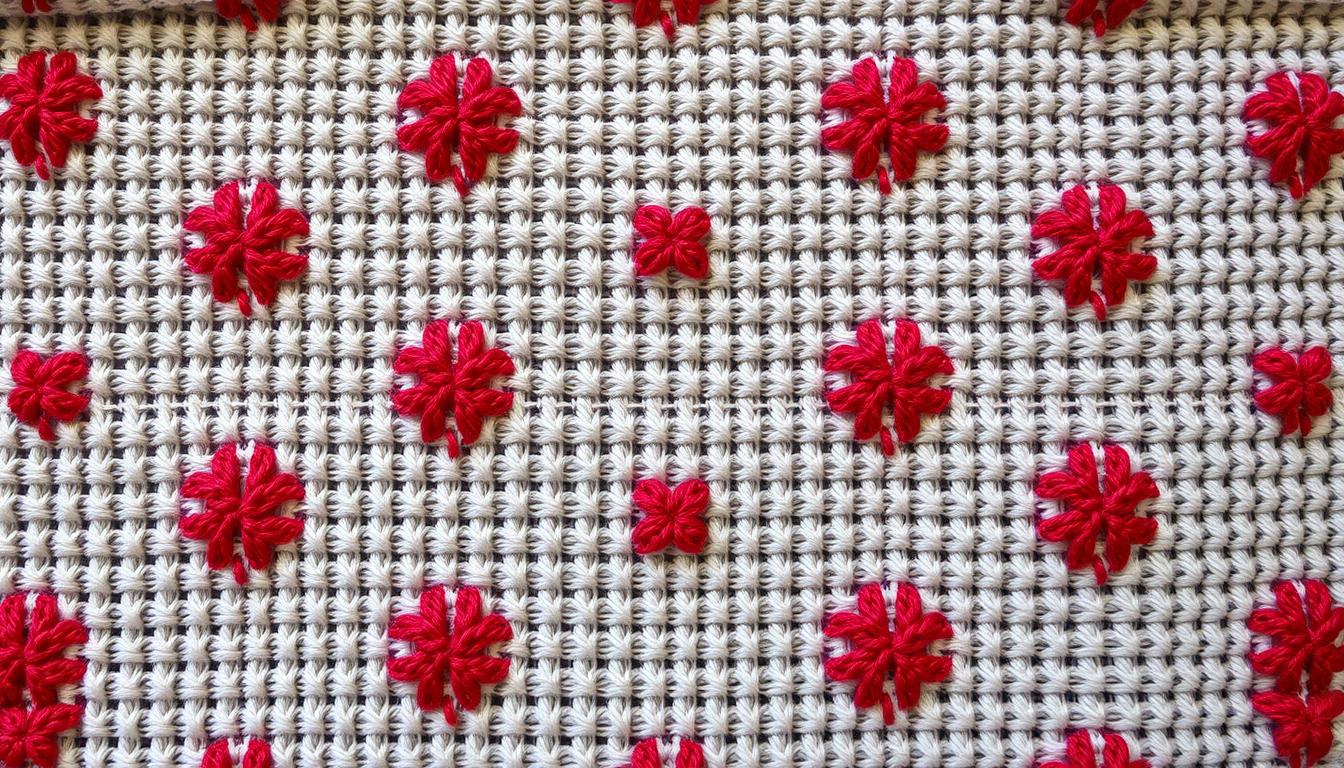
Learn how to turn photos into cross stitch patterns step by step. This guide starts with simple projects and moves to detailed, photo-realistic designs. You’ll use DMC floss and Aida or evenweave fabric.
Expect to make personalized gifts, framed art, and practice pieces. You’ll see examples for portraits, pets, landscapes, and small objects.
The guide covers two main methods. First, automated tools like Pic2Pat and FlossCross. Second, a DIY manual method using graph paper and tracing.
You’ll get tips on photo selection, resolution, and cropping. Learn about resizing for fabric count, color reduction, and chart editing. Also, find advice on materials, stitching technique, and avoiding common mistakes.
Key Takeaways
- You can convert any good photo into a counted cross stitch with either automated tools or a manual method.
- Choose images with clear contrast and composition for the best cross stitch patterns.
- Tools like Pic2Pat and FlossCross speed up pattern creation and provide DMC floss counts.
- Manual conversion using graph paper gives full control over color simplification and detail.
- Plan fabric count and stitch size early to match your desired finished dimensions.
Why Turn Photos into Cross Stitch Patterns: Benefits and Inspiration for Your Needlework
Turning a cherished photo into a counted cross stitch pattern gives your needlework instant meaning. You can preserve a wedding portrait, a newborn snapshot, or a beloved pet image as a keepsake. These personalized gifts and heirlooms become conversation pieces you can hang or pass down.
Using real images opens the door to fresh cross stitch ideas and new embroidery inspiration. A landscape or candid family shot offers natural palettes and compositions. You can reproduce them precisely or simplify into stylized motifs. This flexibility pushes your skills beyond pre-made charts and invites creative choices on color, texture, and shape.
Working from photos also enhances many cross stitch projects aimed at wellbeing. Stitching steady Xs while following a photo-based chart can calm the mind and sharpen focus. People report cross stitch therapy benefits like reduced stress, improved fine-motor control, and a steady sense of progress as each section fills in.
Photo patterns suit stitchers at all levels, and they can be tailored for beginner cross stitch. You can reduce color counts or enlarge the stitch grid. Adding backstitching to define faces or edges, framing the finished piece for display, and creating meaningful art that blends technical practice with personal story.
Choosing the Best Photos for Cross Stitch: What Works and What Doesn’t
Choosing the right photo is key for cross stitch. You need clear shapes, strong contrast, and high resolution. This ensures the pattern looks good on fabric.
First, focus on resolution and sharpness. Use the highest-resolution image you have. Low-quality photos turn into blurry blocks in stitches.
Enlarge photos with caution. Doing so can make them noisy and lead to more mistakes.
Opt for simple photos. Ones with a clear main subject and a clean background work best. Busy scenes can cause too many color changes and slow you down.
Image resolution and quality recommendations to avoid pixelation
Zoom in on your photo to the size you plan to stitch. If it looks jagged or colors blend, choose another photo. A clear image helps avoid mistakes and saves time.
Simple compositions and defined contrast for clearer counted cross stitch results
Look for photos with strong contrast. Clear edges help in stitching faces, pet eyes, and object outlines. This results in a cleaner finished piece.
Subjects that translate well: portraits, pets, landscapes, and objects
Portraits work best with well-lit faces and clear frames. Pets stitch well if fur and background contrast and eyes are clear. Landscapes with large color fields are good, but avoid tiny details. Single objects like flowers or buildings make striking patterns.
Practical tips: crop tightly to your focus, preview at stitch-size, and simplify colors before stitching. These steps reduce mistakes and make projects easier for beginners.
Preparing Your Photo: Cropping, Lighting, and Simplifying for Stitching
Before turning a photo into cross stitch patterns, make some basic edits. Small tweaks to cropping, brightness, and background can save a lot of time. These adjustments help automated converters and manual charting create clearer color blocks and fewer confusing stitches.
How to crop for focus and composition on fabric
Crop tightly to highlight the main subject and remove extra space. Use the rule of thirds to place faces or focal points for balance. Think about how the design will look on cross stitch fabric and in a frame when choosing the final crop.
Adjusting brightness and contrast to enhance color separation
Make contrast a bit higher to separate edges and colors well. If the image looks flat, add a bit of brightness and then adjust contrast. This way, shadows and highlights stay clear, leading to cleaner stitching and fewer muddy areas.
Reducing background clutter and isolating the main element
Remove or blur busy backgrounds to reduce confetti stitches and unnecessary color changes. If a clean background is not right, crop tighter to focus on the subject. Simplifying the background makes stitching faster and the design easier to read.
Work on edits before converting. Use Photoshop, GIMP, or mobile editors to save a copy and test a small area through your converter. This quick preview helps you adjust settings so the final cross stitch ideas match your vision.
Automated Tools to Convert Photos to Patterns: Top Converters and Features
Automated cross stitch converters are great for turning photos into patterns quickly. They range from simple web apps to full-featured software. Choose one that fits your skill level and needs.
Here’s a quick guide to top options. Look at features like color matching, privacy, and export formats. See if they support other cross stitch tools you use.
Pic2Pat: upload, choose stitch size, and get DMC floss counts
Pic2Pat makes it easy. Upload your photo, choose stitch size, and download a chart. It lists DMC floss colors and skein counts for easy stitching.
It’s perfect for beginners or quick projects. You can edit the pattern offline and import it later into other tools.
FlossCross: local privacy, fast rendering, 498 DMC colors, and autosave
FlossCross keeps your data private. It renders charts quickly and supports 498 DMC colors for precise matches.
It autosaves and supports OXS import/export. You can view the source image above the chart for accuracy.
Love it Stitch it, Stitch Your Photos, and Stitchly: app and paid options
Paid apps like Love it Stitch it and Stitchly offer more features. You can choose fabric types, control stitch counts, and manage colors better.
Stitchly works on iPhone, iPad, and Mac. Paid tools often have better previews and support for complex projects.
Pros and cons of free vs. paid converters
Free converters like Pic2Pat and FlossCross are cost-effective. They handle many projects well and fit standard workflows.
Paid options offer more editing, polished interfaces, and export choices. They give you more control over your project. Try free trials to see if the extra features are worth it.
Use conversion output in your cross stitch routine. Organize DMC floss by number and group similar colors. Use tools to edit charts before stitching. Small hacks like pre-sorting skeins make complex projects easier.
DIY Method: Turning a Photo into a Pattern Manually for Full Control
You can make a counted cross stitch pattern from a photo yourself. Start with a clear print or a transparency and some graph paper. Tracing major shapes helps you simplify and think in blocks of color. This is a great skill for beginners.
Tracing on graph paper
Put the photo under graph paper or print it to the size you want. Then, trace the main shapes. Shade each square to show color fields. Assign DMC or your favorite thread numbers by hand.
This method teaches you how to draft patterns and improves your stitching skills.
Simplifying detail and choosing a limited palette
Deliberately cut down on detail to avoid tiny stitches. Use about 6–20 colors for small projects. Choose a consistent set of DMC shades for harmony.
These choices make stitching faster and reduce errors. They help you practice other cross stitch tips.
When to choose DIY over automated conversion
Go manual if you want stylized results or dislike automated color matches. DIY is best for full control over composition. It’s also good when the subject is simple or you want to learn pattern drafting.
Manual methods take more time and involve trial and error, especially with large or detailed photos.
Use this method to try out different layouts and stitches before starting on fabric. It deepens your understanding of counted cross stitch. It also improves your pattern-reading skills and lets you create patterns that show your creativity.
Optimizing Pattern Size and Stitch Count for Your Project Space
When you turn a photo into a pattern, size is key. Choose a fabric count that fits your goals. This way, your finished piece will fit frames and display areas well.
Use simple math to plan: stitches ÷ fabric count = finished inches. This helps you decide if a portrait will fit a standard hoop or larger frames.
14 count Aida gives bold, readable stitches. 18 count or evenweave yields finer detail and a smaller finished size. If your wall space is limited, choose a higher count to keep dimensions compact.
If you want the texture of visible Xs from across the room, choose a lower count.
App settings often ask for stitch-per-inch or total stitch count. A higher stitch-per-inch keeps facial features and small textures sharp. It raises stitch totals, more floss, and longer stitching time.
A lower stitch-per-inch simplifies detail, cuts thread use, and speeds completion.
To resize without losing essential detail, crop tightly to the subject. Focus on eyes, contrast, or defining shapes. Reduce the color palette to reinforce contrast.
Use selective upscaling: increase stitch density only in key zones with editors that support detail zones.
Weigh trade-offs before you change counts. More detail means realism but adds complexity. Less detail means faster progress and fewer errors.
Plan for how the piece will be displayed and how long you want to work on it.
Use this quick planning table to compare common fabric counts, expected finished size for a 400-stitch-wide pattern, and typical use-cases.
| Fabric Count | Stitches per Inch | Finished Width (400 stitches) | Best For |
|---|---|---|---|
| 14 count Aida | 14 stitch-per-inch | 28.6 in | Bold wall pieces, easy visibility |
| 16 count Aida | 16 stitch-per-inch | 25.0 in | Balanced detail and size for cross stitch projects |
| 18 count Aida / evenweave | 18 stitch-per-inch | 22.2 in | Fine portraits, compact finished pieces |
Estimate hoop or frame size by adding a 2–3 inch margin around the finished dimensions. This margin ensures comfortable cross stitch gridding and room for mounting in cross stitch frames. Use converter outputs for DMC skein counts to estimate how many skeins you need before you start.
Choosing Materials: Cross Stitch Fabric, DMC Floss, Needles, and Frames
Choosing the right supplies is key to a successful photo-to-pattern project. Start with cross stitch fabric that suits your detail level. For clear, bold pixels, go with 14 or 16 count Aida. For finer shading, evenweave or linen in counts like 28 or 32 works well.
Light or neutral fabric helps keep photos’ natural contrast. It also reduces color shifts in your finished piece.
Start with DMC floss lists from trusted converters like Pic2Pat and FlossCross. These tools give you reliable matches and skein estimates. Always round up for big background areas and projects with many color changes.
Keep a small proof swatch to check color blends under your lighting. This step is crucial before ordering a full set.
Needle choice impacts your stitching speed and comfort. Use tapestry needles with blunt tips for counted work. For 14-count Aida, size 24 needles are best. For 18-count, go down to size 26.
Hoops are great for small panels and quick projects. For larger or long-term pieces, use scroll frames, Q-snaps, or stretcher bars. These tools help keep tension even and reduce hand strain.
Good cross stitch organization is essential for a smooth workflow. Sort skeins on labeled bobbins with DMC numbers visible. Use clear storage boxes, zip project bags, and a printed pattern grid labeled by fabric coordinates.
Track remaining floss in an app or on a simple chart. This way, you won’t run out mid-project.
- Fabric tips: 14/16 Aida for clarity; evenweave for detail; choose a neutral fabric color.
- Floss tips: Cross-check converter DMC floss lists; round up skeins; swatch before stitching.
- Needles and frames: Tapestry needles sized to fabric count; hoops for small work; frames for large pieces.
- Organization: Label bobbins, use project bags, and keep a log of DMC numbers and remaining skeins.
| Item | Best For | Recommendation |
|---|---|---|
| Cross stitch fabric | Photo clarity vs. fine detail | 14/16 Aida for bold photos; 28/32 evenweave for high detail |
| DMC floss | Accurate color matching and shading | Use converter lists, swatch, and buy extra skeins for blending areas |
| Needles | Smooth stitching and fabric compatibility | Tapestry needles; size 24 for 14-count, 26 for 18-count |
| Cross stitch frames | Maintaining even tension over long projects | Hoops for small pieces; Q-snaps, scrolls, or stretcher bars for large work |
| Cross stitch tools | Organization and efficiency | Bobbins, labeled storage boxes, magnifier lamp, and a project bag per design |
Plan your supplies before starting. A short checklist with fabric count, DMC floss numbers, needle sizes, and frames will save time. Good lighting and occasional magnification help keep details crisp when stitching fine counts.
Chart Editing and Refinement: Improve Readability and Reduce Mistakes
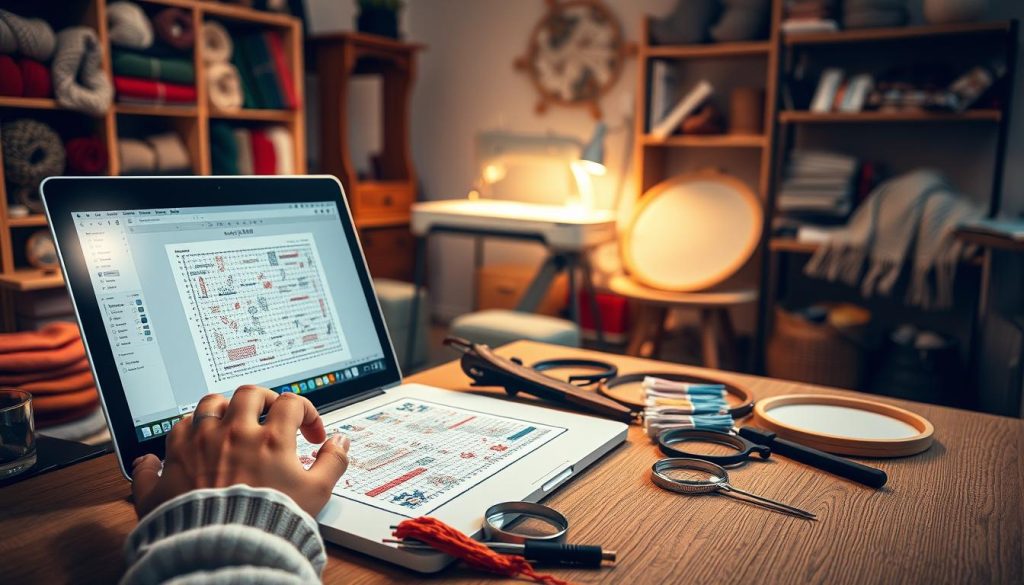
When you export a conversion from tools like Pic2Pat or FlossCross, the chart often needs editing. Start by comparing the chart to your source photo. Keep the image visible while you edit to ensure facial features and edges match the original.
Small, steady edits can save hours of rework on fabric.
Begin by merging near-duplicate DMC shades. Limiting your palette to 20–40 colors can reduce confusion and speed up stitching. Replace hard-to-read symbols with clear ones, then renumber the palette to match your comfort level.
Use backstitching techniques to restore definition lost during color reduction. Add thin outlines around eyes, mouths, and clothing seams to clarify shapes. Backstitching works well on portraits and pets where subtle details make the design read correctly at a glance.
Remove confetti stitches by recoloring isolated single squares into nearby blocks. Group like colors to form continuous areas so you change threads less often. This step reduces errors and makes long stitching sessions less disruptive.
Adopt a simple workflow: export the pattern, open it in a chart editor compatible with OXS or FlossCross, and autosave often. Keep a short to-do list—merge similar shades, relabel symbols, add backstitch paths, and eliminate stray confetti stitches. Check each change against the source photo.
Try a few embroidery hacks to speed the edit. Use the editor’s color-swap tool to preview merged shades. Apply a low-pass filter on the photo to test how much detail you can safely remove. Mark problem areas with notes so you can address them while stitching.
Follow these cross stitch tips while you edit: work in small sections, test color merges on a printout, and prioritize facial features and edges. This focused approach keeps the pattern readable, lowers stitch count mistakes, and makes the final piece more faithful to the image.
Stitching Techniques and Cross Stitch Tips for Photo-Based Patterns
Creating a photo into a stitched scene requires more than a good pattern. You need reliable cross stitch techniques and steady habits. Small choices in stitch direction, tension, and thread handling affect the image’s quality.
Consistent stitch direction is key. Choose a top-stitch direction and stick to it. This creates a smooth surface that looks like a printed photo. Keep your tension even and use two strands on 14-count Aida unless the pattern says otherwise.
Marking your progress helps you stay on track. Use gridding and removable fabric markers. Track completed areas on a printed chart. Carry a small scissors and a thread organizer in your kit to save time and reduce mistakes.
Choose how you work: by color or by section. Working by color reduces thread changes when many small motifs use the same hue. Working by section is better for shading and facial features. Pick what fits the pattern and your pace.
Blend and shadow with care. Use blended threads and fractional stitches for smooth lines and gradients. Three-quarter and quarter stitches refine edges around eyes, noses, and highlights. Add backstitching sparingly to define whiskers, hair strands, and tiny features.
Use a simple table to compare the two main approaches so you can choose fast.
| Approach | When to Use | Main Benefit |
|---|---|---|
| Work by color | Many small color islands, repeated hues | Fewer thread changes, faster blocks of stitching |
| Work by section | Large shaded areas, portrait details | Better image cohesion and easier shading control |
Advanced stitches can add realism. Use tiny French knots for eyes or flower centers, and backstitch for sharp edges. Blended needles can create subtle transitions. These needlework secrets are powerful when used in moderation.
Keep a light and magnifier handy for dense areas. Change needles if points dull, and store skeins labeled by DMC number to match your chart. Practicing these cross stitch tips will speed your work and improve the final look.
Organization Hacks and Workflow: How to Manage Complex Photo Patterns
Large cross stitch projects can be manageable with smart workflow choices. Start by planning your work zone and gathering tools. Stick to a routine to avoid mistakes and keep progress steady.
Gridding your fabric and pattern
Mark a 10×10 stitch grid on your fabric or use thread basting. Make sure the grid matches the pattern and mark the center. Gridding helps avoid misplaced stitches and makes counting easier in dense areas.
Labeling threads and storing skeins
Use labeled bobbins with DMC numbers and store them in clear boxes. Cut small thread lengths for frequent colors. Store extras and spares for large areas. Keep track of skein usage in a notebook or app.
Lighting, magnifiers, and project bags
Get an adjustable daylight lamp and a magnifier for high-count fabric. Use project bags to separate pattern sections. Place thread bundles in small zip bags to avoid tangles.
Workflow systems and backups
Choose a stitching order that suits you. Keep a checklist to track progress. Back up digital patterns and use autosave features in apps like FlossCross.
Cross stitch frames and tool setup
Use cross stitch frames to reduce hand strain and keep fabric tight. Arrange tools within arm’s reach. A tidy setup helps maintain even tension and quality stitches.
| Task | Recommended Tool | Why it Helps |
|---|---|---|
| Gridding fabric | Washable fabric pen or basting thread | Speeds counting and prevents misplaced stitches on complex photo patterns |
| Thread labeling | Labeled bobbins + compartment box | Keeps DMC numbers visible and reduces color mix-ups |
| Lighting | Adjustable daylight lamp | Improves color matching and reduces eye strain |
| Magnification | Hands-free magnifier or magnifying glasses | Makes high-count fabrics and tiny details easier to stitch |
| Project storage | Zipper pouches and labeled zip bags | Organizes sections and prevents thread tangles during transport |
| Frame choice | Adjustable lap frame or scroll frame | Keeps fabric taut and fits your working style for long projects |
| Workflow tracking | Notebook or stitching app | Records progress and helps estimate remaining time and materials |
CROSS STITCH: Common Mistakes and How to Avoid Them When Converting Photos
Converting a photo to cross stitch can be tricky. Small mistakes can add up quickly. Here are some tips to avoid common errors before you start stitching.
Overcomplicating color choices
Using too many similar shades can slow you down. Try to use fewer colors by merging close DMC floss shades. Stick to a simple palette that matches your skill level. Use backstitching for edges and details, not for tiny color changes.
Miscalculating thread requirements
Tools like Pic2Pat and FlossCross help estimate DMC floss needs. Always round up, especially for big areas of color. Buy extra skeins for touch-ups to keep colors consistent. Label leftover skeins by project and dye lot.
Ignoring fabric choice and stitch count
The fabric you choose affects the size and detail of your project. Use a formula to figure out the finished size: (stitch count ÷ fabric count) = finished inches. Choose fabric colors that contrast well with your image. Test a small swatch first to check tension and color.
Neglecting cross stitch gridding
Gridding is crucial to avoid mistakes. Mark a grid on your fabric before stitching. Use water-soluble pens or temporary threads to remove guides later.
Saving and workflow pitfalls
Don’t lose your edits by not saving them. Use converters with autosave or save local copies. Keep a folder for versions, notes, and alternate palettes for easy reference.
Quick cross stitch tips
- Limit your palette and group similar DMC floss shades.
- Round up skein counts and keep spares for touch-ups.
- Calculate finished size before buying cross stitch fabric.
- Grid your fabric to match the pattern and avoid miscounts.
- Save chart versions locally and use tools with autosave.
By addressing these areas early, you can avoid mistakes and enjoy your project. A little planning can make a big difference in your stitching experience.
Conclusion
To turn a photo into a counted cross stitch, start with a high-quality image. Then, crop and simplify it for clarity. You can use automated converters like Pic2Pat or FlossCross, or create a DIY chart for more control.
Test a small conversion first to see how your photo looks in stitches. Use tips from this guide to adjust stitch count and fabric choice. This is important before starting a big project.
After converting, edit the chart to make it clearer. Add backstitching to define edges and group similar colors. This reduces confusing stitches. Choose the right Aida or evenweave fabric and match DMC floss counts closely.
Good organization is key for complex projects. Use a grid on your fabric, label threads, and organize your supplies. This makes stitching easier and more fun.
Converters offer safety and convenience features. Save local copies, use floss counts as a guide, and enable autosave. Apply steady stitching techniques and pace yourself to achieve realistic details.
Let embroidery inspiration guide your design choices. This could be for gifts, wall art, or as a calming activity. With practice and patience, you’ll create stunning cross stitch projects that show off your skills and creativity.
 English