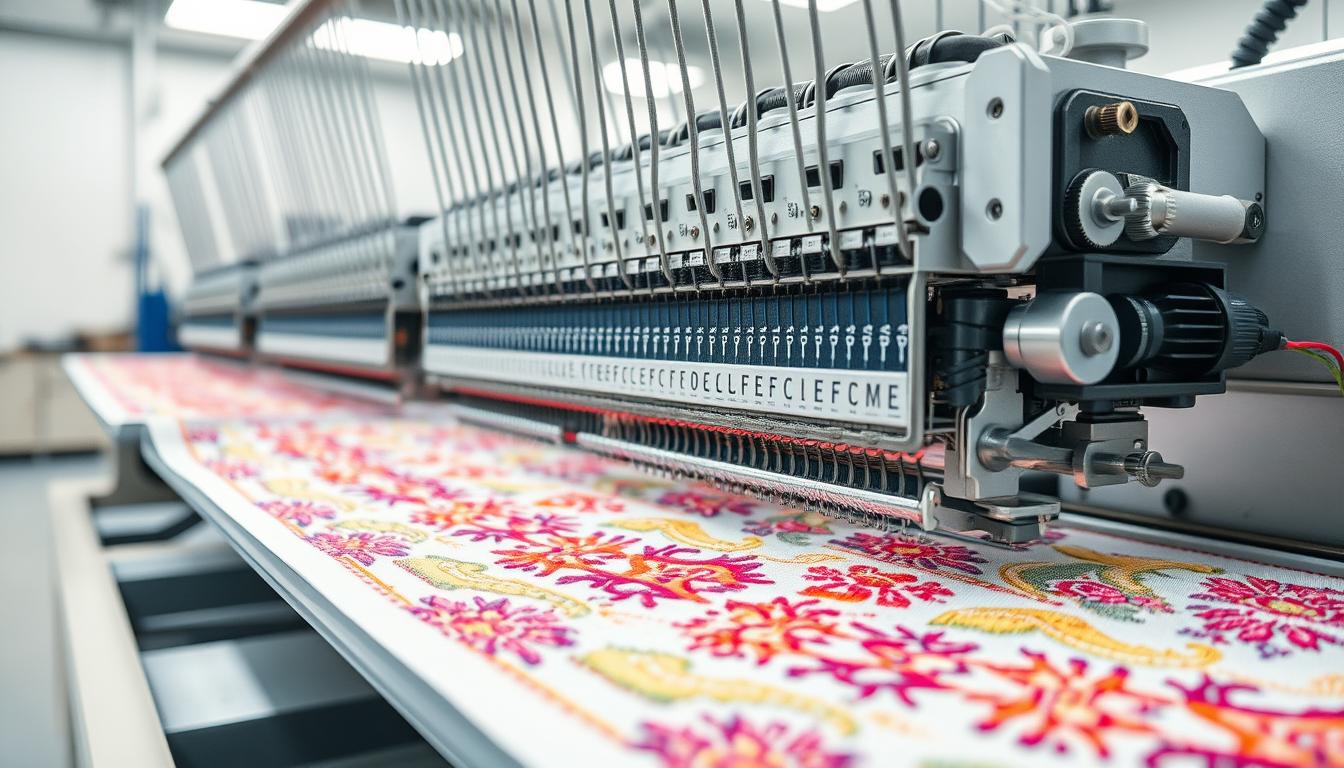
Ever wondered how a Brother PE545 or a Janome Memory Craft 500E can stitch designs so fast?
Embroidery uses needle and thread on fabric. But, machine embroidery makes it automatic. This means you get perfect, repeatable designs for gifts, uniforms, or your own business. As a beginner, you’ll see the difference right away. Machines work faster and more consistently than handwork for big projects.
To start, you need to buy hardware and software. You’ll also need hoops, stabilizers, and threads from Aurifil or Isacord. Don’t forget needles, bobbin thread, and a USB stick. Beginner machines are small and easy to use. They have smaller hoops and come with designs. More advanced machines have bigger hoops, automatic threading, and are ready for big projects.
This guide will teach you the basics of machine embroidery. You’ll learn how it works. This way, you can pick the right machine, find local services, and go from simple projects to professional results.
Key Takeaways
- Machine embroidery automates needle-and-thread decoration for speed and consistency.
- Beginner machines from Brother and Janome are user-friendly with built-in designs.
- You’ll need hoops, stabilizers, quality thread, needles, and basic tools to start.
- Advanced embroidery machines offer larger hoops, automatic features, and higher speed for business use.
- Learning machine embroidery basics helps you decide whether to buy, learn, or search for embroidery near me services.
What is an embroidery machine and how it differs from sewing machines
An embroidery machine stitches patterns, logos, and text onto fabric. It uses digital designs and automated stitching. You load a pattern, hoop the fabric, and let the machine do the rest for precise results.
It’s different from a sewing machine because it focuses on detailed designs. A sewing machine is for making clothes and fixing them. An embroidery machine is for creating patterns and logos.
Use a machine for consistent branding or patches. A sewing machine is better for seams and repairs. An embroidery machine is for patterns and color changes.
Definition and basic purpose
The main job is to turn digital artwork into stitches. Embroidery machines read files and make needle movements, thread trims, and color stops. This results in crisp logos and textured lettering.
For small businesses, it’s great for custom embroidery. Hobbyists can make personalized gifts. Large outfits use it for uniforms and promotional items.
Types of embroidery machines
There are embroidery-only machines, sewing/embroidery combos, and multi-needle commercial systems. Embroidery-only machines focus on design. Combination machines, like the Brother SE700, do both sewing and embroidery.
Commercial machines have many threads at once for fast production. Beginner machines have small hoops and limited editing. Intermediate machines accept designs and have bigger fields. Professional machines have auto-threading and high-speed operation.
How machine embroidery fits into services and business models
Machine embroidery offers many ways to make money. You can do custom embroidery for logos, uniforms, and merchandise. An embroidery shop can take walk-in orders or ship goods.
Home machines are good for small orders. Commercial machines are for big orders and multi-color logos. If you need help, you can get files from professional digitizing services.
| Machine Type | Best For | Key Features |
|---|---|---|
| Embroidery-only (home) | Hobbyists, small custom orders | Built-in designs, user edits, small hoop sizes |
| Combination sewing/embroidery | Mixed home use, small businesses | Sewing functions plus embroidery mode, mid-size hoops |
| Multi-needle commercial | Embroidery shop, bulk orders | Multiple color needles, automatic trimming, high speed |
| Digitizing services (outsourced) | Businesses needing accurate files fast | Expert file conversion, optimized stitch count, format delivery |
Embroidery hardware: key components that make a machine work
Knowing the parts helps you avoid surprises. This section covers the main parts of an embroidery machine. From the tools that hold fabric to the electronics that run designs. Checking these parts can reduce errors and improve stitch quality.
Hoop and frame systems
Hoops keep fabric tight for flat stitches and aligned designs. Home machines often use a 4″x4″ hoop. Mid-range machines like Janome Memory Craft can handle up to about 7.9″x11″.
Big frames and cap attachments are used in commercial multi-needle machines for hats. Use the right hoop size and check tension to avoid puckering and misalignment.
Needle, bobbin, and shuttle mechanisms
The embroidery needle carries the top thread through the fabric. A 75/11 machine embroidery needle is often used. Replace it regularly to prevent skipped stitches.
Bobbin thread is finer than top thread and supplies the bottom side. Different brands have different shuttle or bobbin systems. Keep the bobbin wound right and the shuttle area clean for reliable performance.
Thread paths, spools, and thread sensors
Thread goes through tension discs, thread guides, and the take-up to the needle. Correct threading and smooth spool placement prevent tangles and inconsistent tension.
Modern machines from Brother and Janome have thread sensors. These sensors pause the run if a thread breaks or runs out. They protect your work and save time by preventing ruined designs.
Controller, touchscreen, and memory
The embroidery controller lets you select designs, resize, and make on-machine edits. Touchscreen controllers vary in size and editing features across brands.
Built-in memory stores designs. USB, Wi-Fi, or cloud support lets you import new files. Desktop digitizing software offers deeper control for precise stitch sequencing or complex edits.
| Component | Key function | What to check |
|---|---|---|
| Hoop systems | Hold fabric taut; ensure alignment | Right hoop size, even fabric tension, secure clamps |
| Embroidery needle | Delivers top thread; forms stitch | Needle size (e.g., 75/11), sharpness, correct type for thread |
| Bobbin and shuttle | Supplies bobbin thread; controls bottom tension | Proper winding, clean shuttle area, correct bobbin type |
| Thread sensors | Detect breakage or spool out; pause runs | Sensor calibration, unobstructed thread path, compatible spools |
| Embroidery controller | Manage designs, edits, and settings | Software updates, memory capacity, connectivity options |
How embroidery designs become stitches: software and digitizing
Software plays a big role in turning artwork into stitches. It converts lines, fills, and colors into instructions for the machine. These instructions control the type, direction, density, and order of stitches.
Good digitizing ensures your design looks great on fabric. It prevents puckering and odd gaps. But, poor digitizing can make your design look amateur.
What digitizing is and why it matters
Digitizing turns artwork into embroidery design files. It defines the stitch paths and underlay, which keep the design stable on fabric. Accurate digitizing is key for reliable results on different fabrics.
Professional digitizers and top software like Wilcom or Hatch handle complex details well. They outperform automatic converters.
File formats and compatibility
Embroidery machines use specific file formats like PES for Brother, JEF for Janome, and DST for many commercial heads. Make sure your machine can read the formats before buying or downloading designs. Vendors like OESD and Scissortail Stitches often provide multiple formats to avoid compatibility issues.
On-machine editing vs. desktop/cloud software
On-machine editing lets you make quick changes to size, position, and colors. It’s great for small tweaks during a job. Desktop or cloud software, on the other hand, offers more advanced features like re-digitizing and changing stitch types.
Platforms like Hatch and cloud tools provide versioning and storage for your designs. They make it easy to manage and access your files.
Outsourcing to digitizing services is a smart choice if you lack software skills or need fast work. Many services charge by stitch count or offer flat rates. They can format files for your machine and provide proofs to reduce rework.
Stabilizers, hoops, and prepping fabric for perfect results
Before you start stitching, you need to prepare. Choosing the right stabilizers and hooping technique is key. These steps help avoid puckering, thread breakage, and save time on your projects.
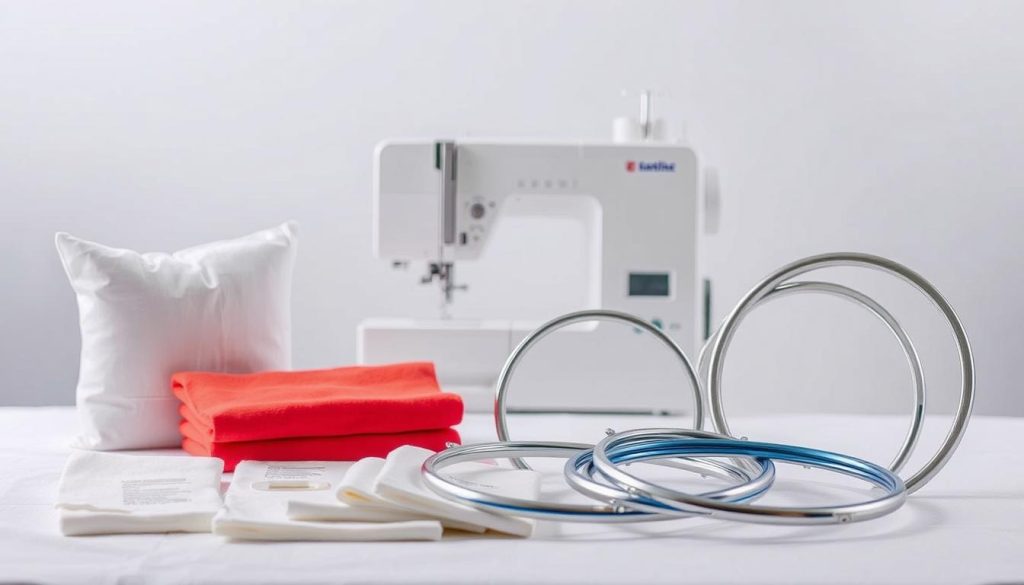
Types of stabilizers and when to use them
For stretchy fabrics, use a cut-away stabilizer. It provides long-lasting support. On the other hand, a tear-away stabilizer is best for woven fabrics or designs that don’t need much stress.
Wash-away stabilizers are perfect for delicate or sheer fabrics. They ensure no backing is left after washing.
Match the stabilizer’s weight to your design’s density. Light stabilizers are good for simple designs. Medium weights work for most logos. Heavy stabilizers are for dense, large designs. The wrong stabilizer can cause puckering and instability.
Hooping techniques and tips
When hooping, fabric and stabilizer should be together with even tension. Make sure the fabric is flat and not stretched. Align the fabric’s grain with your design to prevent distortion.
For caps, use special hoops to avoid distortion near seams. For big designs, break them into smaller hoopings. Use registration points to keep everything in place. Practice until you get tight, even results.
Toppers, adhesive stabilizers, and project-specific prep
Toppers keep stitches on top of plush fabrics like fleece. Use water-soluble toppers for a clean finish on towels. Tear-away toppers are okay if a bit of residue is fine.
Adhesive stabilizer or basting spray helps with slippery surfaces like leather and vinyl. For heat-sensitive items, like potholders, use cotton threads and stabilizers. Avoid heat-bond adhesives that soften at low temperatures.
| Project Type | Recommended Stabilizer | Toppers / Adhesive | Hooping Tip |
|---|---|---|---|
| T-shirts / Knitwear | Cut-away stabilizer, medium weight | Light topper for high piles | Hoop with stabilizer and align grain |
| Woven shirts / Tote bags | Tear-away stabilizer, light to medium | No topper usually required | Hoop with even tension, avoid stretching fabric |
| Terry cloth / Towels | Wash-away or heavy cut-away | Water-soluble topper to clear pile | Use small hoops and secure placement |
| Leather / Vinyl | Heavy cut-away or specialty stabilizer | Adhesive stabilizer or basting spray | Use adhesive to prevent slip, avoid needle pulling |
| Potholders / Heat-prone items | Heavy cotton stabilizer, heat-resistant | No melt adhesives; use cotton-based toppers | Hoop with firm support and test stitch first |
| Small, dense logos for embroidered gifts | Medium to heavy cut-away stabilizer | Tear-away topper for textured fabrics | Use precise placement and trimmed jump threads |
Thread, needles, and settings that affect stitch quality
Getting great stitch quality starts with choosing the right materials and tuning your machine. The wrong combo of embroidery thread, needle, and tension can lead to problems. Below are practical choices and settings to help you get consistent results on a variety of fabrics.
Thread types and best uses
Polyester thread like Isacord is strong, colorfast, and has a nice sheen. It suits most apparel and patches where durability matters.
Cotton thread like Aurifil gives a matte finish and tolerates heat. It’s ideal for potholders, hot pads, and items exposed to high temperatures.
Rayon offers high shine but can be more prone to tension problems on some machines. For smooth backs and lower tension demands, use quality bobbin thread from specialty brands.
Choosing needles and sizes
Pick proper embroidery needles and replace them often. A common starter size is 75/11 for general work.
Use ballpoint needles for knits and sharp needles for woven fabrics. Specialty needles are available for metallic threads and heavy trims.
Dull or bent needles will cause skipped stitches and damage fabric. Change needles after several hours of stitching or at the first sign of wear.
Tension, speed, and other machine settings
Top and bobbin tension must balance for clean stitches. Thread type and your stabilizer choice change the ideal tension, so test on a scrap before the final run.
Slower machine speeds improve accuracy and reduce skipped stitches. If you see looping or thread breaks, lower the speed and re-test.
Many beginner machines include automatic tension features. Learn your manual’s recommended machine settings and clean the bobbin area regularly to avoid lint buildup and jams.
Step-by-step: what happens during an embroidery run
Starting an embroidery run involves a series of steps. The machine turns a digital file into beautiful stitches. First, you load the design and set the hoop. Then, you confirm the placement before the needles start moving.
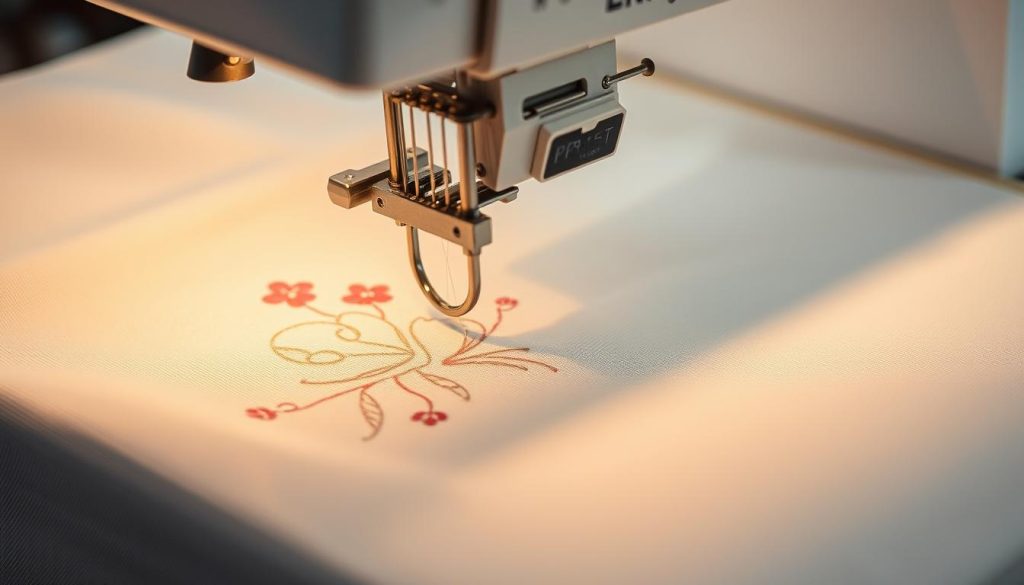
Design loading and placement
Start by loading your design from USB, Wi‑Fi, or onboard memory. Choose the right hoop size and attach it securely. Use guides or mark the fabric for precise placement. Always test on scrap fabric or a new file to avoid surprises.
Stitch sequencing and color changes
Digitized files guide the machine on the order of stitches. Multi-needle machines handle color changes automatically. Single-needle or combo machines require manual color changes. Smart digitizing reduces errors and speeds up production.
Monitoring, troubleshooting mid-run issues
Watch for thread breaks, needle failures, and bobbin problems during the run. Many machines alert you to these issues. Common fixes include re-hooping, swapping needles, clearing lint, and adjusting tension. The right stabilizer prevents puckering and keeps the design flat.
Practice on scraps and keep spares ready. This includes extra needles, threads, and stabilizer. Being prepared speeds up troubleshooting when problems arise.
| Stage | What to check | Quick fix |
|---|---|---|
| Design load | File format, hoop size, placement markers | Reload file, resize, re-center on hoop |
| First stitches | Tension, alignment, stabilizer adhesion | Stop, adjust tension, re-hoop or add stabilizer |
| Color change | Thread path, needle selection, correct color order | Re-thread, verify color block order, continue run |
| Mid-run break | Thread break, needle snap, bobbin jam | Replace needle, clear bobbin, re-thread and resume |
| Finish and trim | Trims, jump stitches, final stabilizer removal | Remove stabilizer, clean lint, inspect for missed stitches |
Where to learn more, buy machines, or get professional help
Starting out can feel overwhelming. You have many choices for gear, training, and help. These options fit different budgets and goals. Think about whether you want a sewing-plus-embroidery machine or an embroidery-only model before you shop.
Choosing the right beginner machine
Look for clear hoop sizes, touchscreen controls, USB or Wi‑Fi import, and an automatic needle threader. Entry-level options include the Brother PE545 for a compact embroidery-only field, the Brother SE700 if you want combo capability, and the Janome Memory Craft 500E when you need a larger 7.9″x11″ field.
Set a budget range to narrow choices: under $500, $500–$1,200, and above $1,200 each match different feature sets. Try features in person at a local dealer so you can feel controls and test hooping.
Local vs online resources
Visit a nearby embroidery shop for hands-on demos, repair support, and in-person classes. Dealers often provide maintenance and quick parts service when machines need attention.
Search for embroidery near me to locate stores and teachers in your area. For online help, use manufacturer tutorials from SINGER® and HUSQVARNA VIKING®, watch YouTube educators, join Facebook groups for your model, and explore apps like Creativate and Artspira.
Buy digital designs from vendors such as OESD and Scissortail Stitches. Enroll in paid courses like Foundations of Machine Embroidery or Stabilizer School to speed up learning. Online embroidery options make it easy to access patterns and step-by-step videos anytime.
When to outsource digitizing or embroidery services
Consider professional digitizing services for complex logos, tonal fills, or when you need fast, high-quality files. Vendors offer fixed or per-stitch pricing, order dashboards, and satisfaction guarantees to streamline production.
Use outsourcing embroidery if order volume exceeds your machine capacity or when you need consistent, repeatable results for uniforms and bulk runs. Professional shops can scale production and deliver quicker turnaround than a single home machine.
Conclusion
You now know how to start with machine embroidery. First, choose a beginner-friendly model like the Brother PE545, Brother SE700, or Janome Memory Craft 500E. Learn about hooping, stabilizer selection, and use quality threads like Isacord or Aurifil and OESD bobbin thread.
Practice on scrap fabric until your stitches are even and consistent. This will help you improve your skills.
As you get better, you might want to learn digitizing or decide when to outsource. Local dealers, online communities, and classroom courses can help you master software and solve problems. Outsourcing digitizing or bulk production is smart when you grow your custom embroidery business or offer stitching services.
With regular practice and the right setup, you can make durable, personalized embroidery and gifts. Whether you want to make unique keepsakes or start a professional embroidery service, focusing on the basics and growing your skills will make your work reliable and appealing.
 English